Capso
About Capso
Capso is an open-source screenshot and screen recording tool designed for macOS. It serves as a free alternative to commercial tools like CleanShot X, offering similar functionality without cost. The application is built using Swift 6.0 and SwiftUI, targeting macOS 15.0 and later versions.
Capso provides a comprehensive set of features for capturing, annotating, and sharing screenshots and screen recordings. It includes tools for area selection, window capture, scrolling capture, and screen recording with options for video or GIF output. The software also supports OCR for text recognition and translation from captured screen content.
Key features
- All-in-One Capture with a CleanShot-style HUD for various capture modes
- Adjustable selection area with aspect ratio and fixed-size presets
- Inline annotation tools including arrows, shapes, text, and highlights
- Screen recording with video (MP4) and GIF output options
- Webcam PiP with multiple shapes and presentation modes
- OCR for instant text recognition and translation from screenshots
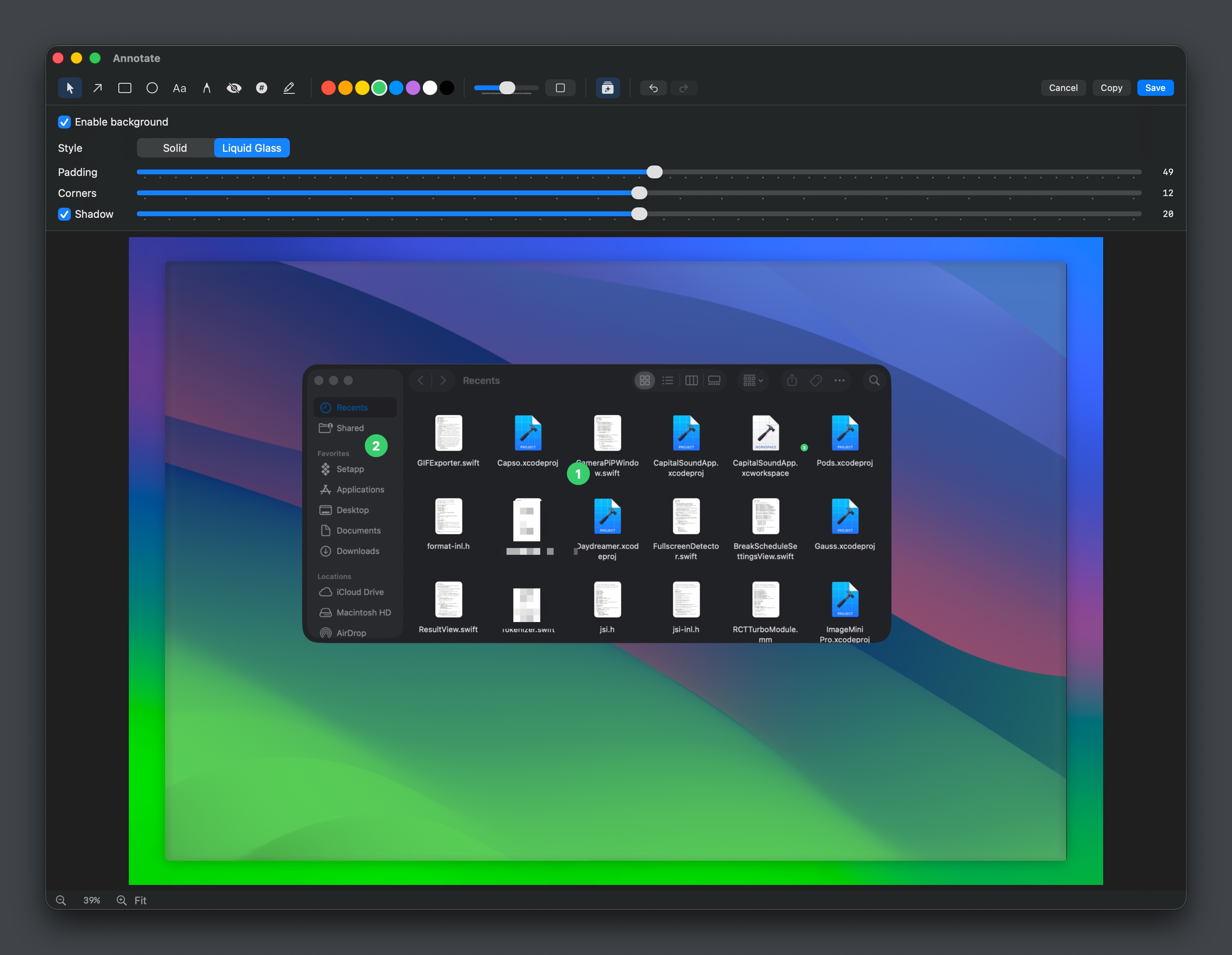
- Screenshot beautification with background styling and padding options
- Cloud sharing integration with support for personal Cloudflare R2 storage
Download v0.9.3
Jul 12, 2026macOSmacOS
Frequently asked questions
- Is Capso free?
- Yes. Capso is free and open-source software, distributed under the NOASSERTION license.
- Which platforms does Capso support?
- Capso provides downloads for macOS.
- What is the latest version of Capso?
- The latest version is v0.9.3, released on Jul 12, 2026.
- What platforms does Capso support?
- Capso is designed for macOS 15.0 and later versions.
- How can I install Capso?
- Capso can be downloaded as a signed DMG from GitHub Releases or installed via Homebrew by tapping a specific repository and installing the cask.
- What license is Capso released under?
- Capso is released under the BSL 1.1 license.
- Does Capso require any special permissions?
- Yes, Capso requires screen recording, camera, and microphone permissions, which it will prompt for on first use.
More Utilities
scrcpy
Genymobile
Scrcpy mirrors and controls Android devices from a computer. It works without root access and supports basic input like keyboard and mouse.
Stirling-PDF
Stirling-Tools
Stirling-PDF is a web-based PDF editor accessible from any device. It offers tools for editing PDF documents directly in the browser without requiring installation.
LocalSend
localsend
LocalSend is a cross-platform file-sharing tool that works offline over a local network. It provides a simple, open-source alternative to proprietary solutions like AirDrop. The tool supports direct device-to-device transfers without requiring internet access.