Clop version history
11 releases tracked, newest first.
v3.3.0
Jul 10, 2026- Added a format bar for quick file format changes and extreme compression option.
- Introduced "Fit under size" feature for compressing files under a specific size limit.
- Fixed issues with animated GIFs and duplicate file naming during optimization.
- Improved drag functionality for floating results and menu interactions.
1 download
v3.2.3
Jul 4, 2026- Added compression slider for every format to re-encode files at chosen quality.
- Introduced codec badges to show real codec details for various formats.
- Fixed issues with unnecessary re-encoding and incorrect bitrate display for lossless formats.
- Improved drag functionality for floating results and cleanup performance.
1 download
v3.2.2
Jul 1, 2026## Fixes
- QR codes no longer disappear when optimising PDFs (Canva and similar exports draw them through a transparency mask that was being dropped)
- Fixed a crash that could happen when turning floating results or the cursor drop zone off and back on
- Fixed a crash when keeping metadata while converting some images
- Fixed several causes of the app freezing or briefly hanging: clipboard monitoring waiting on a slow pasteboard, watching folders on slow or network volumes, dropping very large images, converting HDR HEIC photos, and saving optimised files to slow destinations
- Large drops of image or video files open the batch window, not only folders
- Share menu on a floating result stays open while you move the cursor onto it, instead of closing the moment the result's buttons fade
## Improvements
- Batch mode settings moved to the Drop zone settings
1 download
v3.2.1
Jun 27, 2026## Features
- **Preset zone** entry in a pipeline's *Add to* menu assigns it to a preset zone for one file type or all types
- **Go to pipeline** in a preset zone's menu jumps to the assigned pipeline in the Pipelines list
## Fixes
- **Drag all** now drops every file, not just the first one, whether you use the drag handle on a result or drag a multi-row selection in the compact list
- Audio preset zones no longer show up under Image, Video, and PDF
1 download
v3.2.0
Jun 25, 2026## Features
- **Pipelines tab** builds and assigns automations: create a pipeline, then pin it to the clipboard, drop zone, watched folders or preset zones, view where each pipeline is assigned.
- **One result card per pipeline**: the floating result updates in place as steps run instead of spawning a new card each step. A `fork` step peels off a second file you can drag out while the pipeline keeps going.
- **File handling** tab sets where optimised and converted files land, per type: next to the original, a specific folder, in place, or temporary, each with its own name template.
- **Per-format audio conversion**: out of the box WAV becomes MP3, AIFF and FLAC become M4A; anything you don't pick keeps its own format.
- **Tappable result chips**: click a result's name to rename or its extension to convert in one click. A new conversion replaces the last; hold **Option** to keep both.
## Fixes
- Pipeline editors and previews follow light and dark mode instead of getting stuck
- Converting an image to the format it already is no longer re-encodes it
- PDF optimisation keeps transparency-group icons instead of dropping them
- `clop strip-exif` finds its bundled tools again
## Impr
1 download
v3.1.0
Jun 18, 2026## Batch mode
Drop a folder or a big pile of files and Clop opens a dedicated window built for thousands of files, without a floating card for each one.
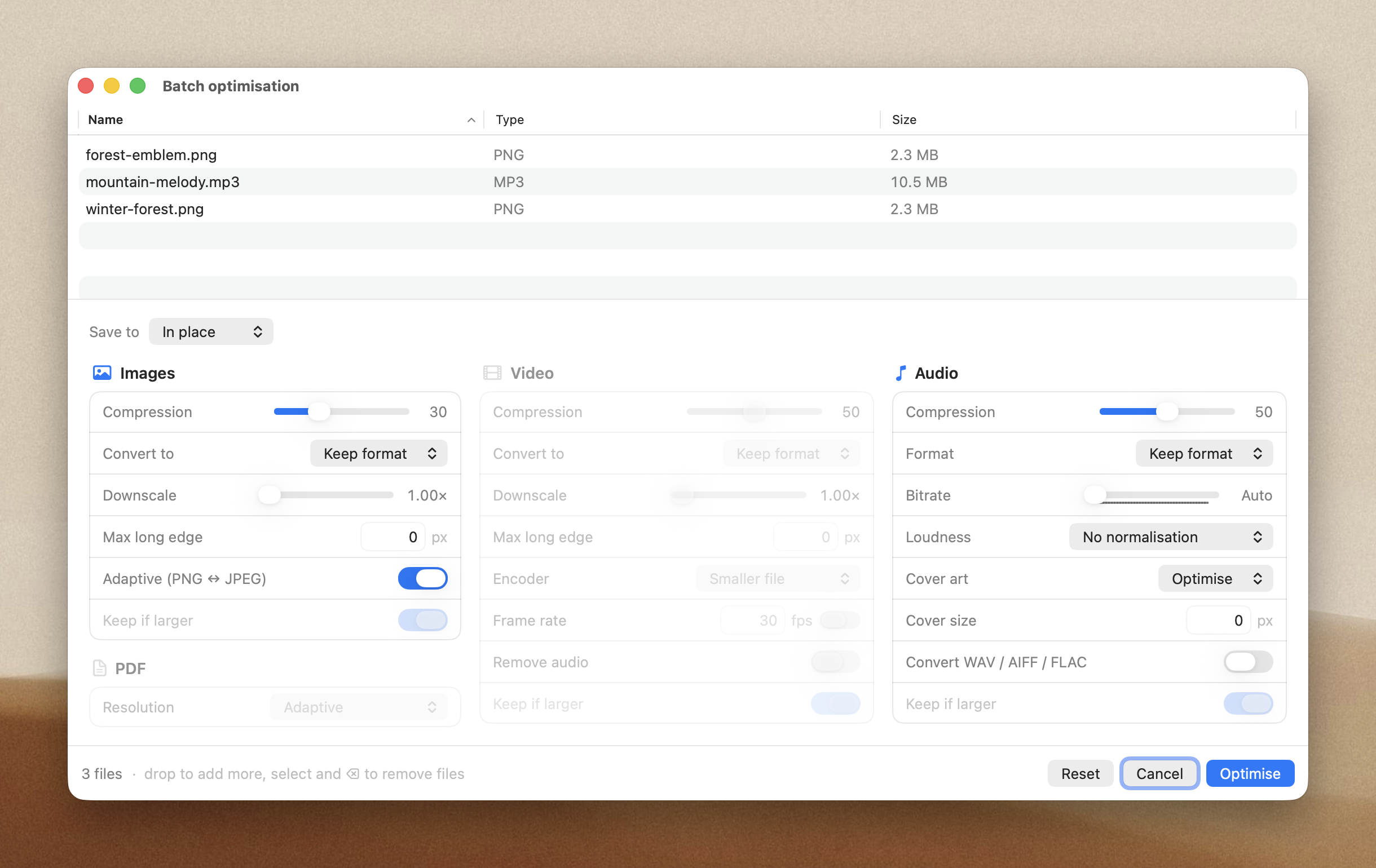
Before anything runs, each original is cloned to a safe backup, so you can re-compress the whole set with different settings or roll it all back.
Drop a folder with more files than the threshold you set in Settings and it opens here automatically. You can also open it from the menubar and drag files in.
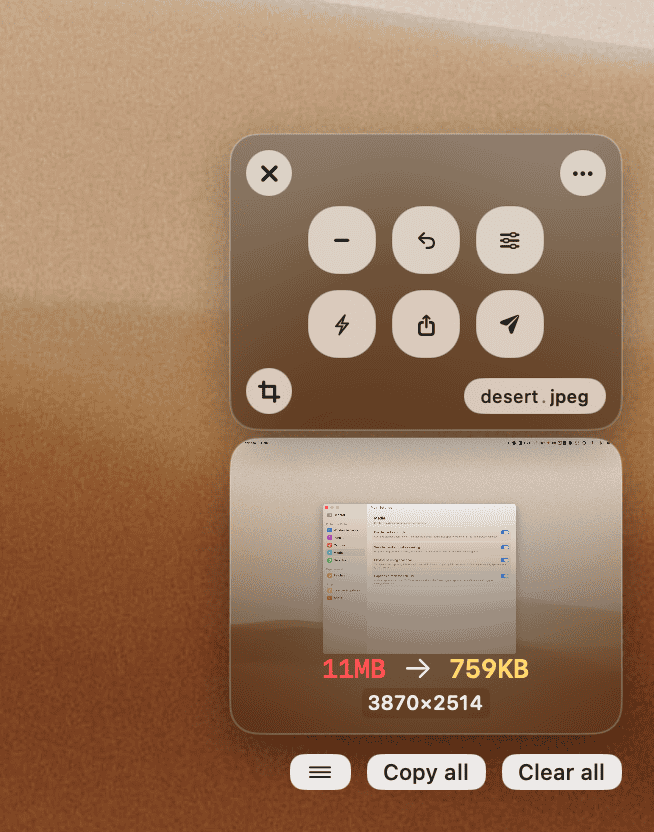
## Redesigned floating results
Every optimised file is now a thumbnail card, audio included, with album cover art when the file has it. Hover a card for its action buttons, or press `Space` to QuickLook it.
## Pick files in the compact list
Click a hover checkbox to start selecting, then click any row to add it. A bar appears for the whole set: a handle to drag them all out, plus save, crop, downscale, bitrate and more. `⌘A` selects all, `Esc` clears.
)
- Improve app hang detection
1 download
v2.11.2
Jan 25, 2026## Fixes
- Fix `webp` conversion
1 download