super-productivity
About super-productivity
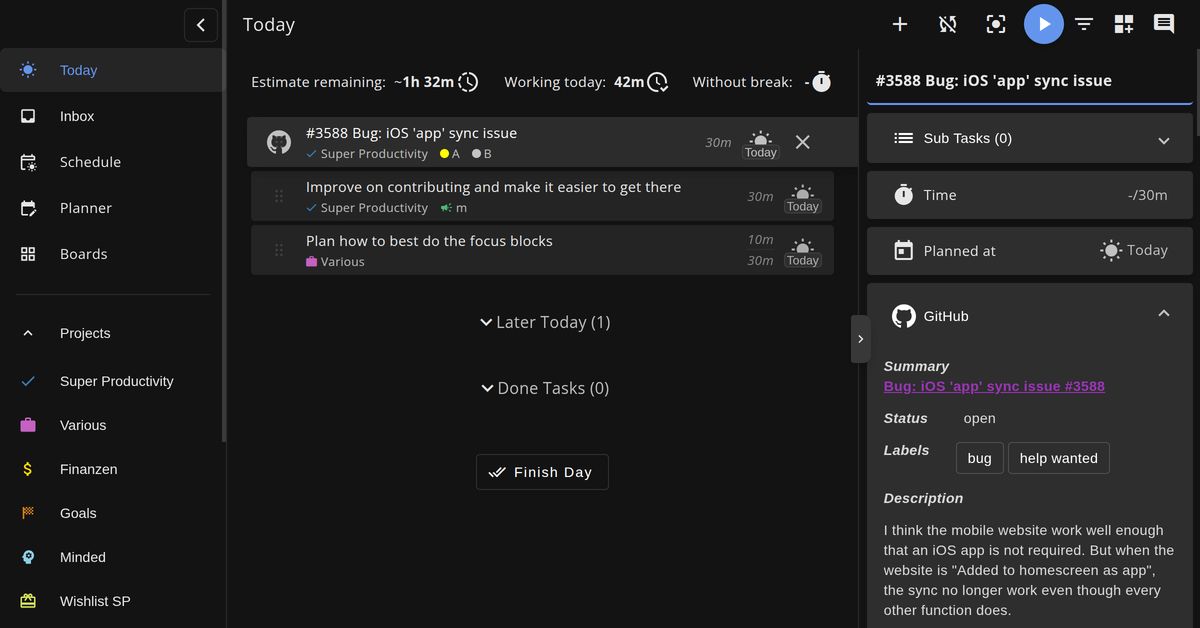
Super Productivity is an advanced todo list application designed to enhance personal and professional task management. It integrates timeboxing and time tracking features to help users manage their tasks more effectively. The app supports importing tasks from various sources including calendars, Jira, GitHub, and others, making it a versatile tool for individuals and teams.
The application is available across multiple platforms, including desktop and mobile devices, ensuring accessibility and convenience. It emphasizes privacy by not collecting user data and allows users to decide where their data is stored. Super Productivity is free and open-source, encouraging community involvement and continuous improvement.
Key features
- Plan and categorize tasks using sub-tasks, projects, and tags with color coding.
- Integrate with Jira, Trello, GitHub, GitLab, Gitea, OpenProject, Linear, ClickUp, and Azure DevOps.
- Use timeboxing and track time to create time sheets and work summaries.
- Establish healthy habits with break reminders, anti-procrastination features, and a Pomodoro timer.
- Attach context information to tasks and projects with notes, files, and project-level bookmarks.
- Backup and synchronize data across multiple devices with Dropbox and WebDAV support.
- Respects privacy with no data collection and no user accounts or registration required.
Download v18.14.0
Jul 10, 2026WindowsWindows
macOSmacOS
LinuxLinux
AndroidAndroid
Frequently asked questions
- Is super-productivity free?
- Yes. super-productivity is free and open-source software, distributed under the MIT license.
- Which platforms does super-productivity support?
- super-productivity provides downloads for Windows, macOS, Linux, Android.
- What is the latest version of super-productivity?
- The latest version is v18.14.0, released on Jul 10, 2026.
- What platforms does Super Productivity support?
- Super Productivity is available on Android, iOS, Linux, macOS, and Windows. It can also be accessed via a web app.
- How can I install Super Productivity?
- Super Productivity can be downloaded from various sources including Flathub, Snap Store, Microsoft Store, Google Play, F-Droid, and the App Store. Detailed installation instructions are available on the GitHub wiki.
- Is Super Productivity free to use?
- Yes, Super Productivity is free and open-source. It does not require any payment or subscription.
- Does Super Productivity collect user data?
- No, Super Productivity respects user privacy and does not collect any data. Users have full control over where their data is stored.
More Productivity
lobehub
lobehub
LobeHub is a productivity tool designed to manage AI agents by handling their hiring, scheduling, and reporting for continuous operations. It organizes agents into efficient workflows to ensure seamless 24/7 functionality.
AppFlowy
AppFlowy-IO
AppFlowy is an open-source productivity tool designed as a collaborative workspace with AI integration. It functions as an alternative to Notion, combining projects, wikis, and team management while prioritizing user data control. The platform supports organization and workflow without proprietary lock-in.
rtk
rtk-ai
RTK is a command-line proxy tool designed to minimize LLM token usage by 60-90% for common development commands. It is a lightweight, dependency-free Rust binary.