Windows-11-Clipboard-History-For-Linux
About Windows-11-Clipboard-History-For-Linux
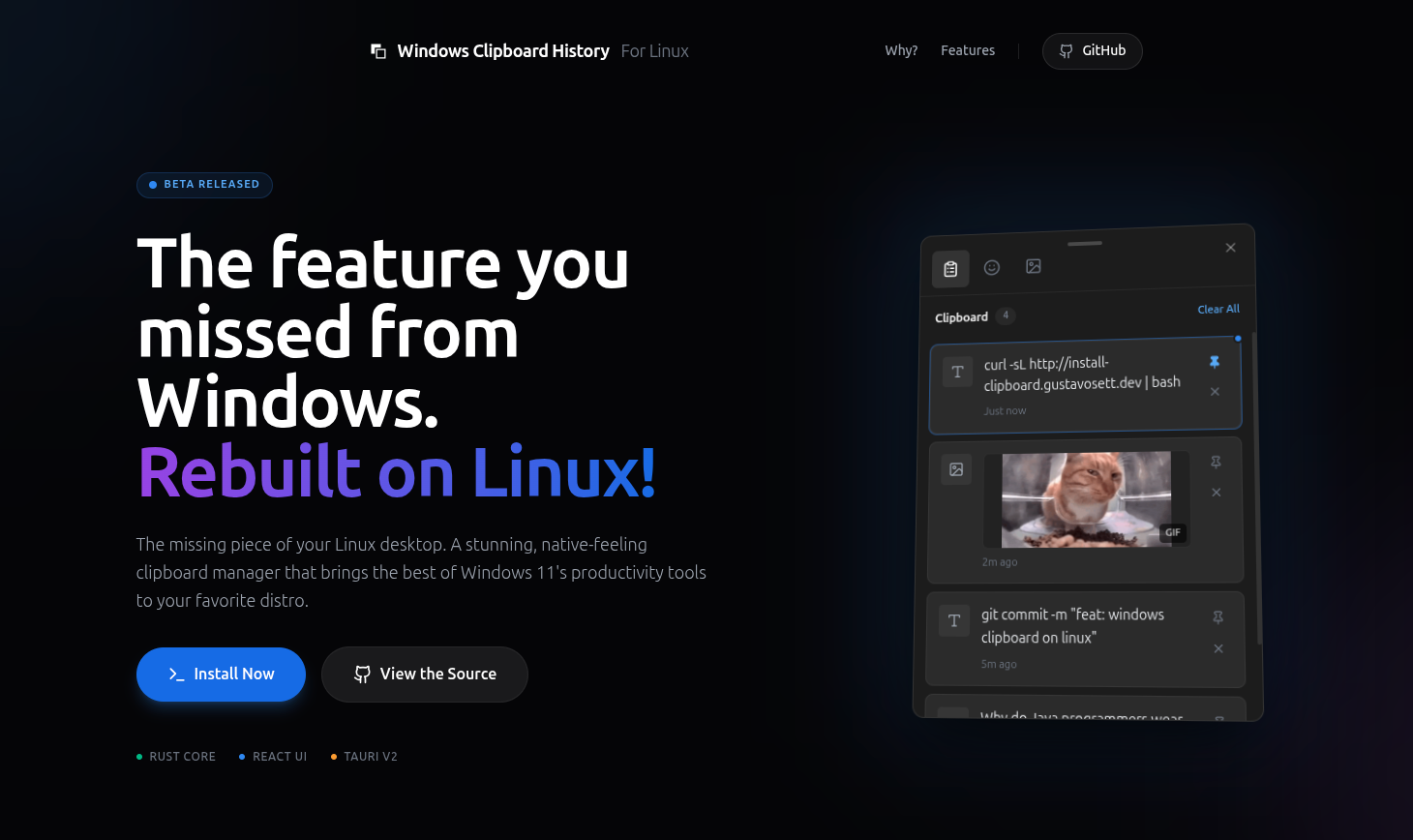
Windows 11 Clipboard History For Linux is a clipboard manager designed to replicate the visual style and functionality of Windows 11's clipboard history on Linux systems. It provides a modern interface for managing copied items across both Wayland and X11 environments.
The application is built with Rust and Tauri, offering local storage for clipboard history with features like pinning items and quick access via keyboard shortcuts. It includes additional tools such as a GIF search integration and an emoji picker for enhanced productivity.
Key features
- Works on both Wayland and X11
- Opens with Super+V or Ctrl+Alt+V shortcut
- Window follows mouse cursor across monitors
- Pin important snippets to keep them accessible
- Search and paste GIFs from Tenor
- Built-in searchable emoji picker
- Local storage with no data leaving your machine
Download v0.6.6
May 6, 2026LinuxLinux
Frequently asked questions
- Is Windows-11-Clipboard-History-For-Linux free?
- Yes. Windows-11-Clipboard-History-For-Linux is free and open-source software, distributed under the MIT license.
- Which platforms does Windows-11-Clipboard-History-For-Linux support?
- Windows-11-Clipboard-History-For-Linux provides downloads for Linux.
- What is the latest version of Windows-11-Clipboard-History-For-Linux?
- The latest version is v0.6.6, released on May 6, 2026.
- How do I install this on my Linux system?
- The recommended method is to run the provided install script which detects your distribution and handles setup automatically. Manual installation is also supported via package managers for Debian/Ubuntu, Fedora/RHEL, and Arch Linux (AUR).
- What desktop environments are supported?
- The application works across various Linux distributions including Ubuntu, Fedora, Arch Linux, and others listed in the repository topics. It supports both Wayland and X11 display servers.
- Is there a license for this software?
- The project is licensed under MIT, as indicated by the license badge in the README.
- What should I do if the Super+V shortcut doesn't work?
- First verify the application is running, then check for conflicts with your desktop environment's keyboard shortcuts. The setup wizard can help configure this, or you may need to manually unbind Super+V in your system settings.
More Utilities
scrcpy
Genymobile
Scrcpy mirrors and controls Android devices from a computer. It works without root access and supports basic input like keyboard and mouse.
Stirling-PDF
Stirling-Tools
Stirling-PDF is a web-based PDF editor accessible from any device. It offers tools for editing PDF documents directly in the browser without requiring installation.
LocalSend
localsend
LocalSend is a cross-platform file-sharing tool that works offline over a local network. It provides a simple, open-source alternative to proprietary solutions like AirDrop. The tool supports direct device-to-device transfers without requiring internet access.