Wox version history
10 releases tracked, newest first.
v2.3.0
Jul 4, 2026- Added Cloud Sync for settings, plugins, and themes
- Added workspace layouts for window management
- Improved Linux, preview, file search, and hotkey support
- Fixed various Linux, clipboard, and launcher issues
4 downloads
v2.3.0-beta.2
Pre-releaseJul 1, 2026This beta improves Linux and Wayland reliability while expanding file previews, File Search controls, and selected-folder Shell workflows.
- Improve
- [`Linux`] Improve Wayland and Hyprland support with wlroots layer-shell detection, Hyprland hotkeys, KDE image clipboard handling, desktop launch environment fixes, draggable window state handling, screenshot monitor capture, and FAQ guidance for disabling window animation #4458
- [`Hotkey`] Expand Linux hotkey support with Double Ctrl, Caps Lock combo keys, Backspace injection, better input permission checks, and clearer doctor diagnostics. Also support backquote and tilde hotkeys across platforms.
- [`Preview`] Improve file previews with on-demand loading, macOS Quick Look support, PDF and large-file handling, and a File Search setting to control whether previews are shown #4463
- [`File Search`] Improve indexing performance, fresh full-index bulk sync, direct-entry insertion, and user-home path normalization for faster and more reliable searches.
- [`Window`] Improve Windows monitor detection, DPI-scaled window positioning, and launcher focus diagnostics #4436
- [`Cloud Sync`] Improve account token recovery and expire
4 downloads
v2.3.0-beta.1
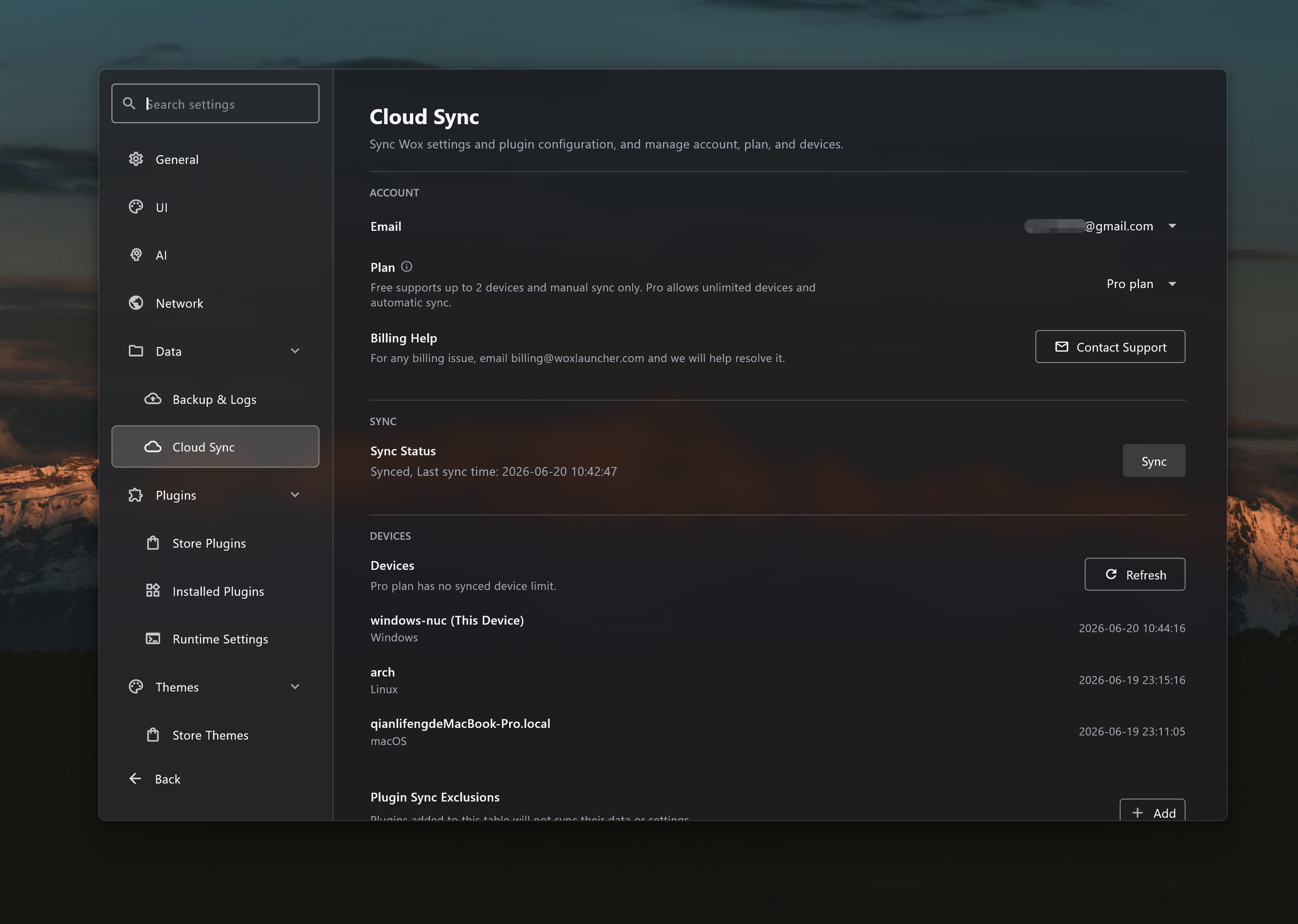
Pre-releaseJun 20, 2026This beta release introduces Cloud Sync, giving users encrypted backup and restore for settings, installed plugins, and themes across devices.
- Add
- [`Cloud Sync`] Add encrypted cloud sync for settings, installed plugins, and themes, with recovery-code setup, local snapshots, sync history, account plan and device management, device join and revoke flows, and plan-aware auto-sync.
4 downloads
v2.2.0
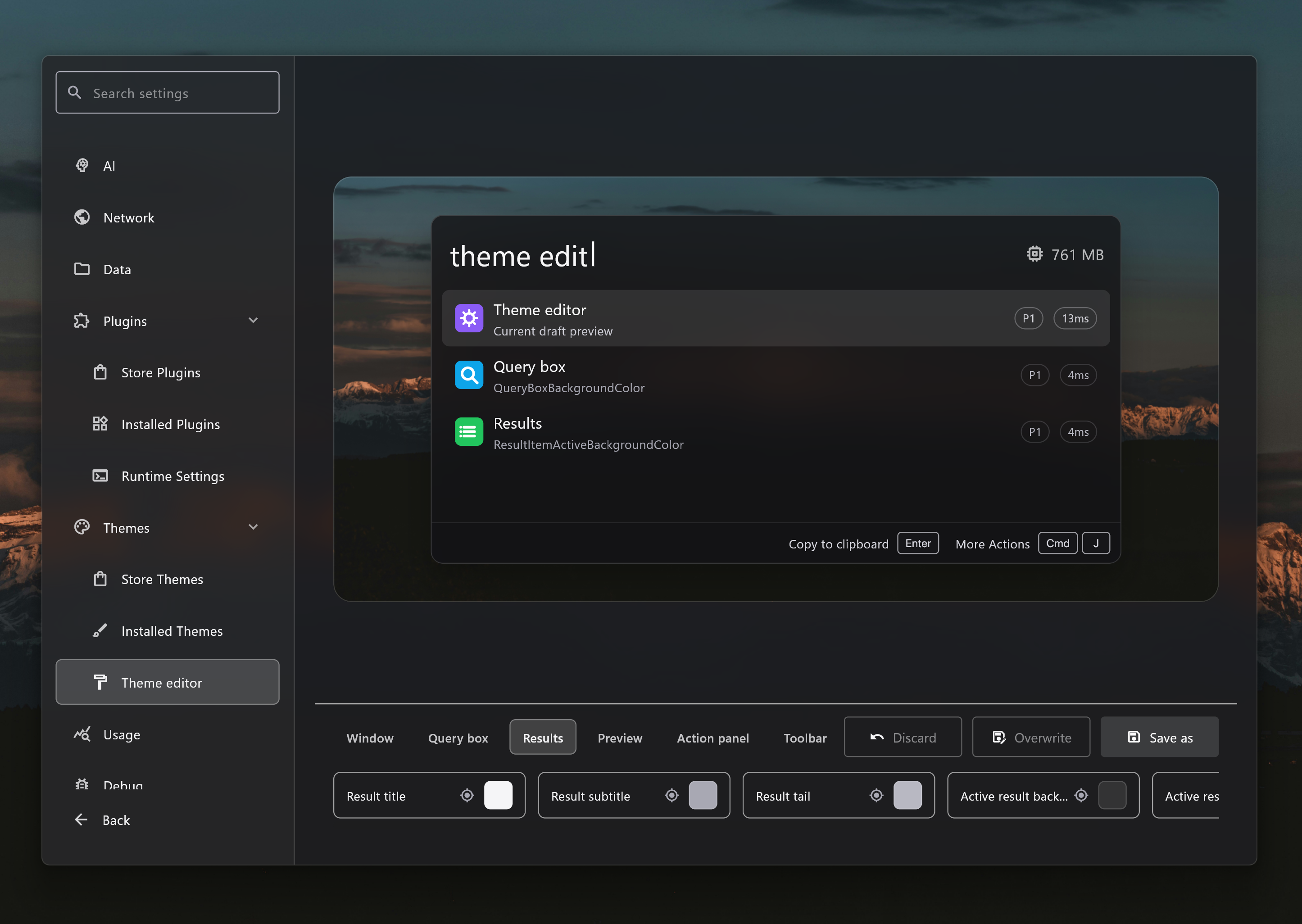
Jun 18, 2026This stable release rolls up the v2.1.2 beta work with additional Theme Editor, Linux Wayland, Caps Lock hotkey, update, and stability improvements.
- Add
- [`Theme Editor`] Add a theme editor with live launcher preview, color controls, save-as and overwrite flows, platform-specific variants, and wallpaper-aware previews for customizing Wox themes #4421 #4415
- [`Window Manager Plugin`] Add a Window Manager plugin to move, resize, minimize, maximize, restore, and send the active window between displays from launcher commands.
- [`Selection`] Add Space Quick Look on Windows so users can preview a selected file from File Explorer or open/save dialogs by pressing Space.
- [`Result Drag`] Add native file drag export for launcher results, allowing file-backed results from Clipboard and plugins to be dragged directly to folders or other apps.
- [`Update`] Add release channels and channel switching so users can stay on stable releases or opt into beta prereleases.
- [`Hotkey`] Add Caps Lock combo hotkeys and a Hotkey Overview preview so users can assign Caps Lock-based shor
4 downloads
v2.1.2-beta.2
Pre-releaseJun 10, 2026- Improve
- [`Media Player`] Improve Windows media session integration so users can view the current track, see artwork, and control playback with play, pause, next, and previous actions from Wox.
- [`Explorer`] Improve open/save dialog workflows with type-to-search hints, faster dialog path detection, quick folder jumps, and selection highlighting inside the active dialog.
- [`Preview`] Improve preview metadata by using tag-style pills across AI Command, Clipboard, Selection, Shell, Update, Media Player, and Node.js plugin SDK previews.
- [`PDF`] Improve PDF file preview by rendering PDFs through the shared WebView preview path.
- [`System`] Improve system commands with a copy-version action for quickly sharing the current Wox version.
- [`Update`] Improve manual update checks so the visible update preview and release-channel actions refresh after checking.
- [`Logging`] Improve log file naming and bug report guidance so users can find and upload `wox.log` more easily #4446
- Fix
- [`Shell`] Fix Windows open actions to use ShellExecute directly and avoid blocking when launching files, URLs, or folders.
- [`Hotkey`] Fix hotkey recording so stale Windows modifier
4 downloads
v2.1.2-beta.1
Pre-releaseJun 5, 2026- Add
- [`Theme`] Add a theme editor with live launcher preview, color controls, save-as and overwrite flows, and wallpaper-aware previews for customizing Wox themes #4421
- [`Window Manager`] Add a Window Manager plugin to move, resize, minimize, maximize, restore, and send the active window between displays from launcher commands.
- [`Selection`] Add Space Quick Look on Windows so users can preview a selected file from File Explorer or open/save dialogs by pressing Space.

- [`Attention`] Add persistent Attention items so plugins can surface follow-up tasks with an unread badge and an inbox that keeps items until users open or mark them read.
- [`Result Drag`] Add native file drag export for launcher results, allowing file-backed results from Clipboard and plugins to be dragged directly to folders or other apps.
- [`Update`] Add update channels so users can stay on stable releases or opt into beta prereleases.
- Improve
- [`Preview`] Expand file preview support to code, executable, image, markdown, PDF, shortcuts, video, zip, Office, audio, font, calend
4 downloads
v2.1.1
May 24, 2026- Add
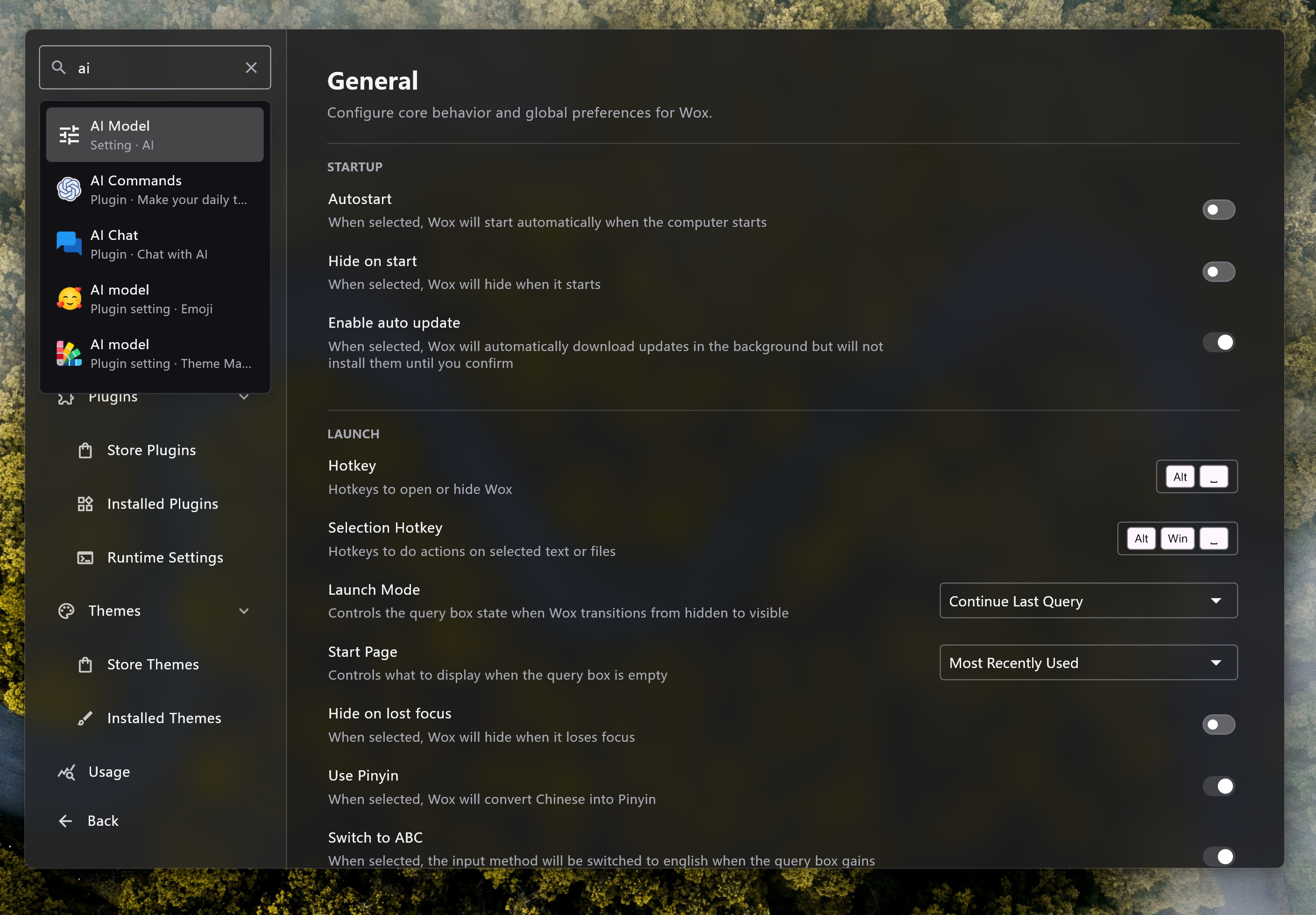
- [`Settings`] Add settings search so users can find built-in and plugin settings by localized text without browsing each settings page.
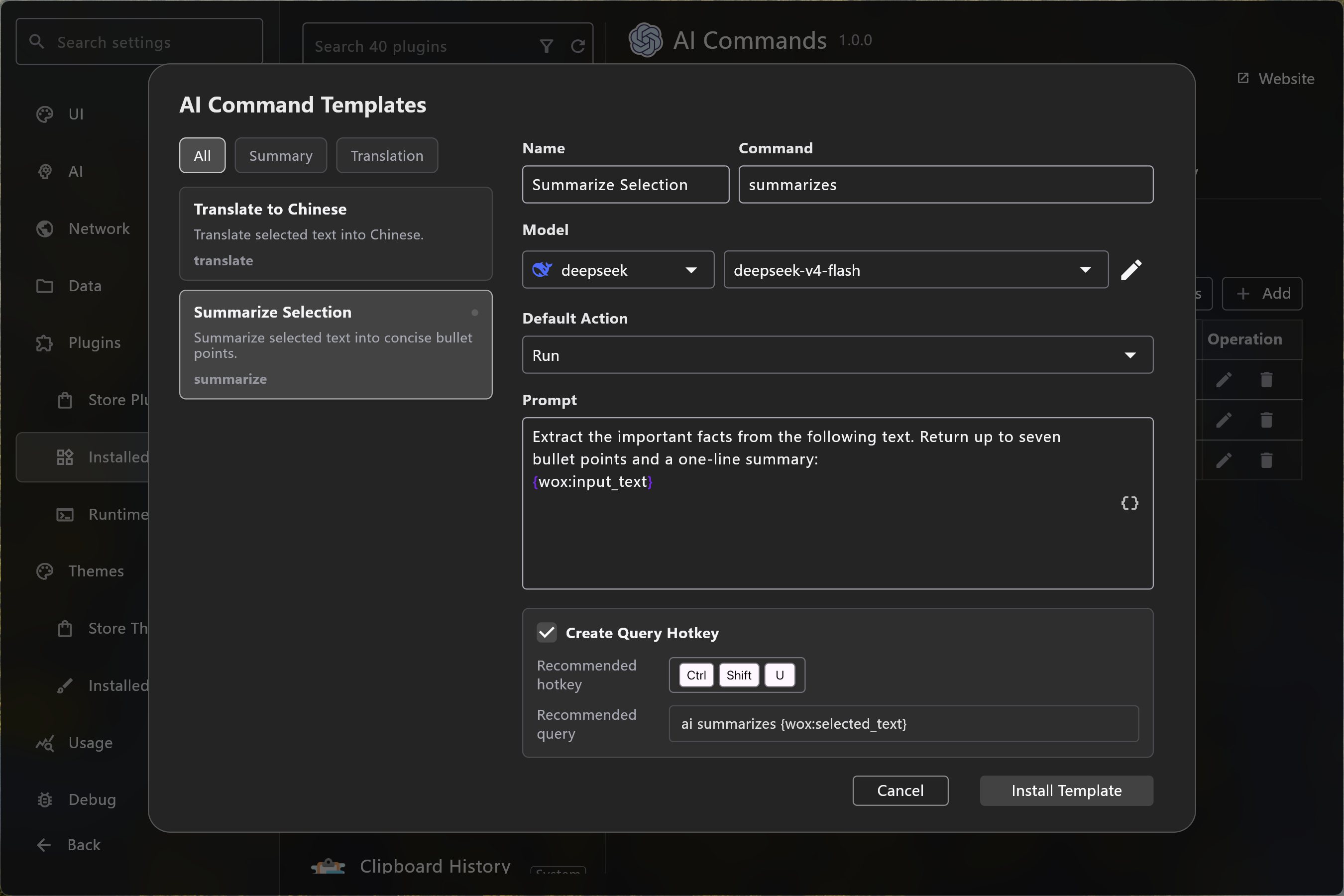
- [`AI Command`] Add an AI command template dialog and default-action selector, with built-in translation and summarization command templates for faster setup.
- [`Bug Report`] Add built-in diagnostics collection and a toolbar indicator so users can prepare bug reports with relevant runtime context #4416
- Improve
- [`AI`] Improve AI model selector loading with cached provider resources so settings forms can reuse model data more reliably.
- [`Screenshot`] Improve capture on Windows with a native selection overlay, hover-aware region selection, deferred image loading, direction-aware scrolling stitching, and more reliable image cache cleanup.
- [`WebView`] Improve embedded preview sessions with focus support, suspend and resume handling, and a toolbar action to hide Wox.
- [`Overlay`] Improve overlay behavior with
4 downloads
v2.1.0
May 18, 2026This version adds many new features and improvements. we hope you’ll like it, and wish you all a pleasant week!
- Add
- [`Glance`] Add Glance to the query box so users can see lightweight real-time information, such as time, date, and battery status, cpu usage, and memory usage without typing a query. Plugins can provide glance metadata, and users can choose the glance item or hide the glance icon for a cleaner query box.
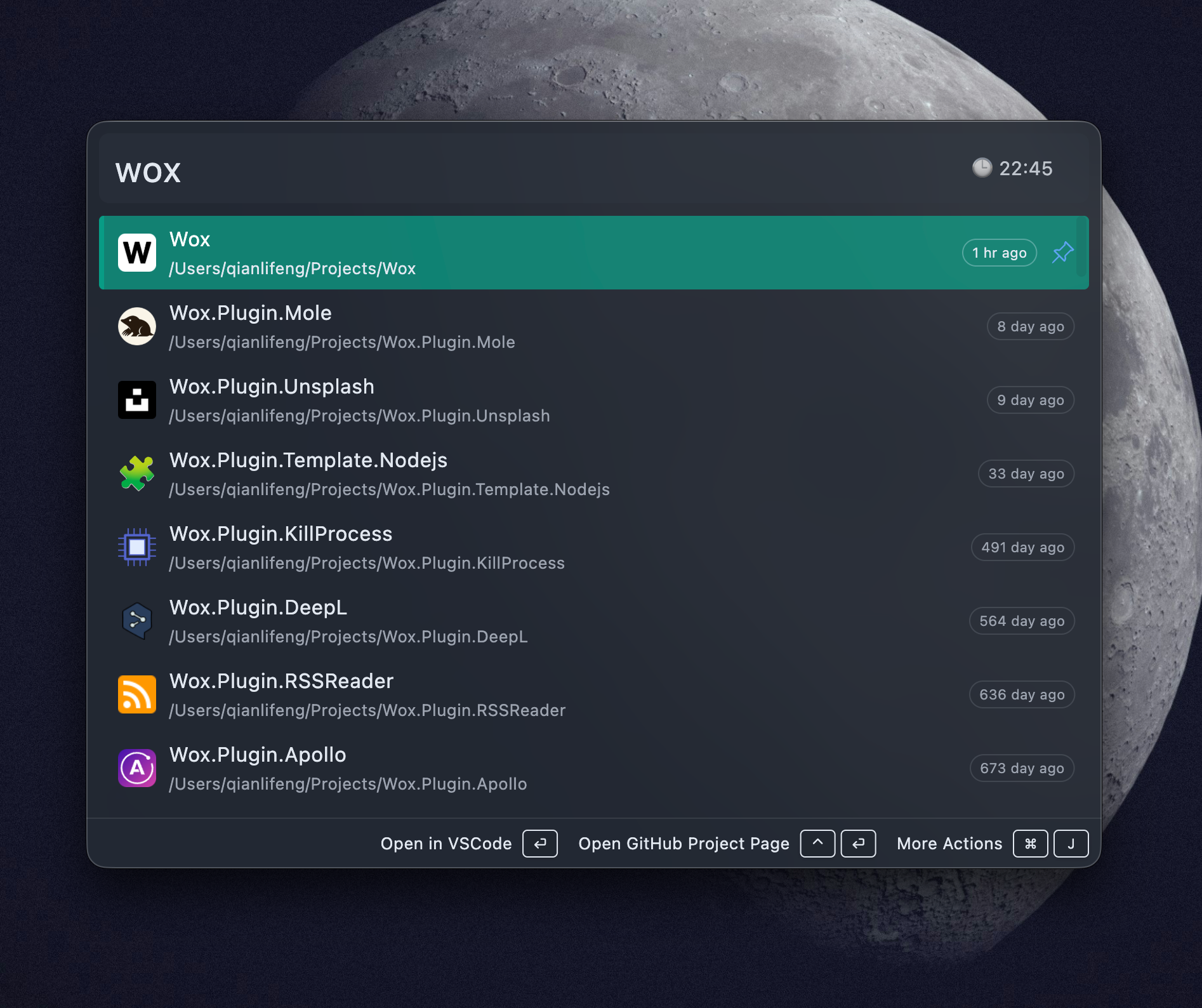
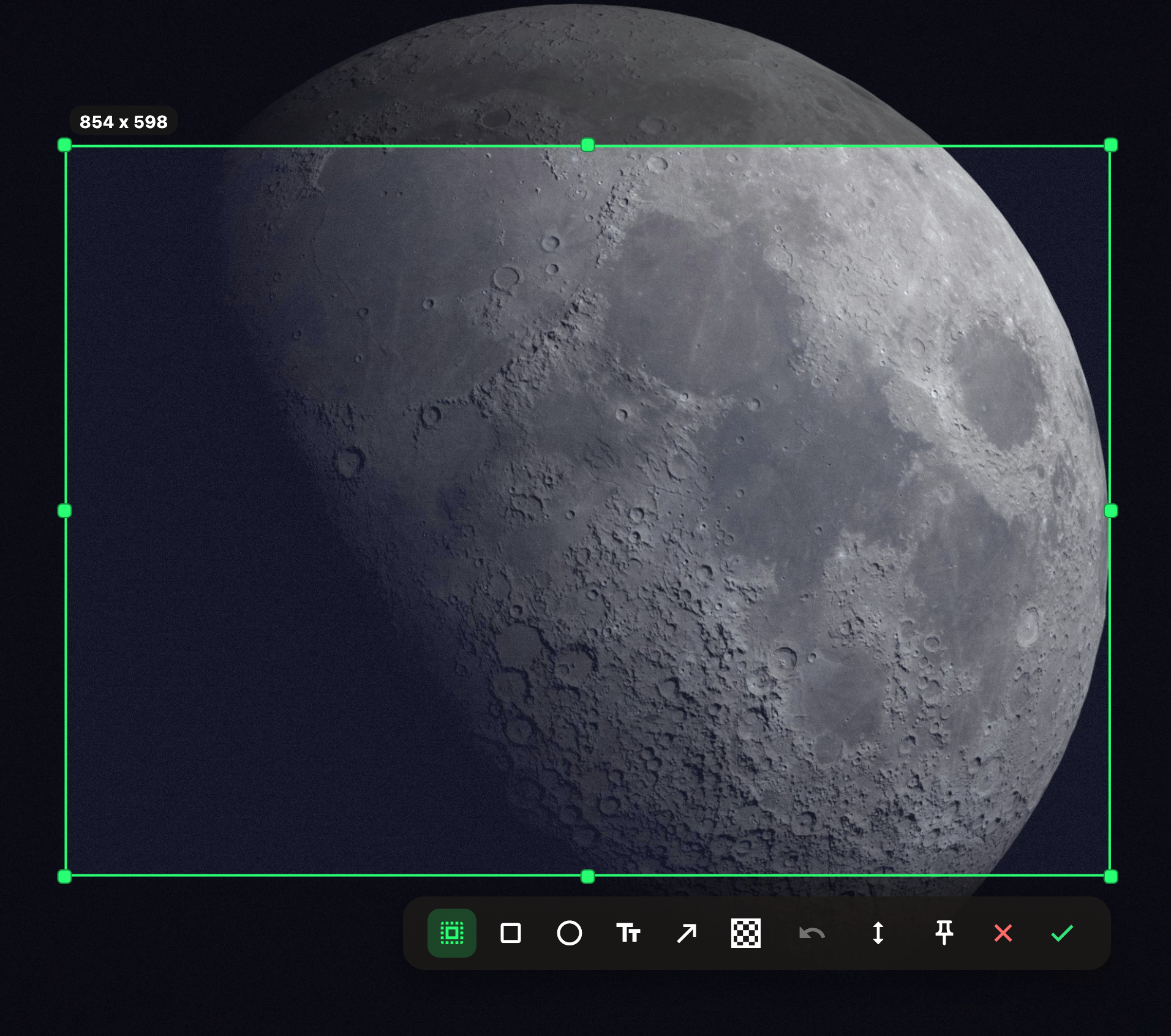
- [`Screenshot`] Expand Screenshot with scrolling capture, pinned screenshot overlays, a plugin screenshot API, and configurable history retention. Users can capture long pages or windows, pin captures above other windows as visual references, let old screenshot files clean up automatically, and let plugins start direct capture workflows with hidden toolbar and auto-confirm options #4394
- [`Preview`] Redesign the preview UI and add list previews and image overlay previews so result previews have a cleaner, more consistent surface, while image-heavy r
4 downloads
v2.0.3
Apr 26, 2026- Add
- [`Screenshot`] Add screenshot plugin with annotation, history, export path, clipboard handoff, keyboard confirmation, and multi-display handling. One more app to remove from startup list!
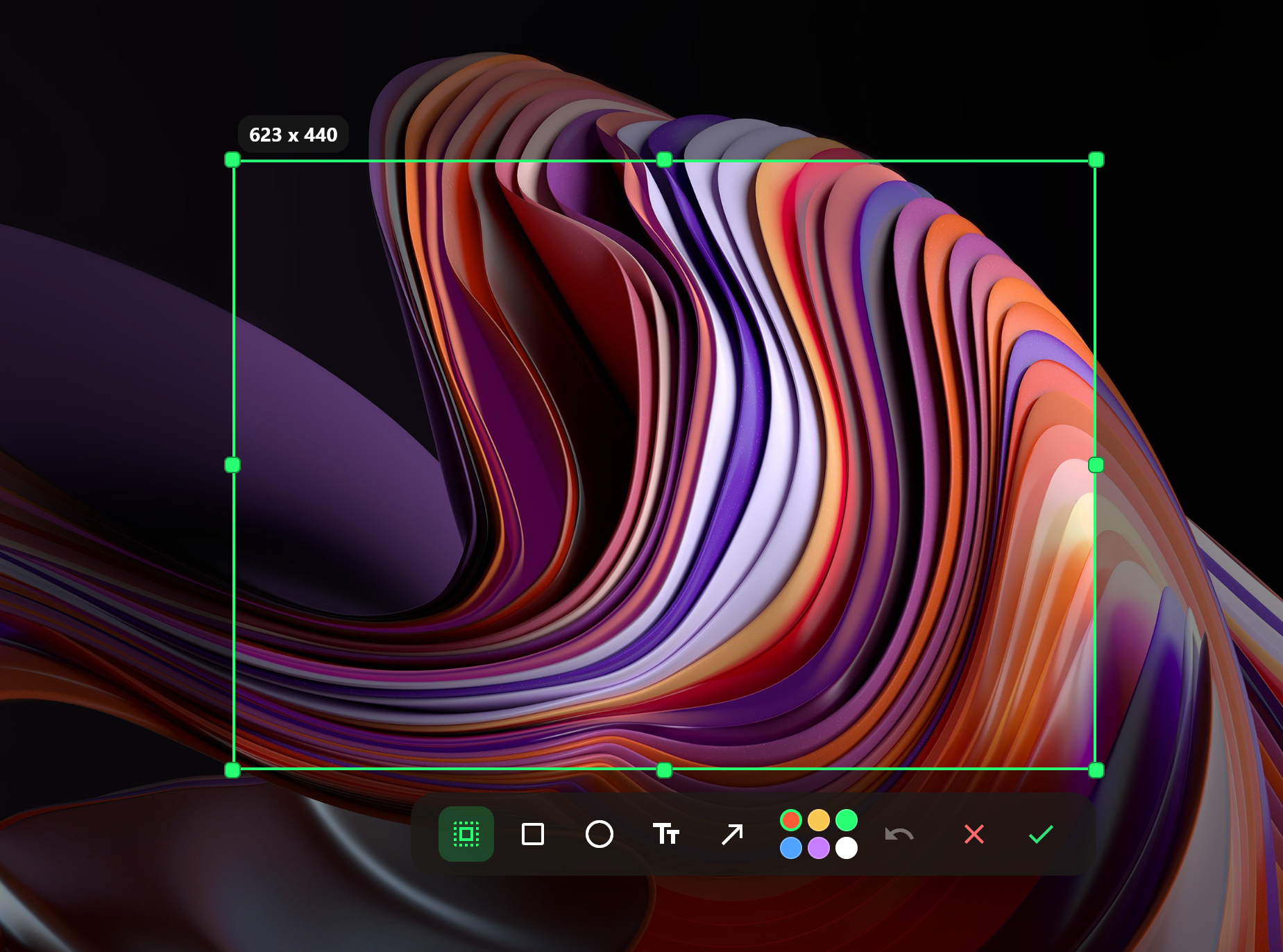
**Tips**: Use it with Query Hotkey to capture screenshots with a single shortcut
- [`WebView`] Add configurable website previews with navigation actions, preview toolbar, cache controls, and Windows support.
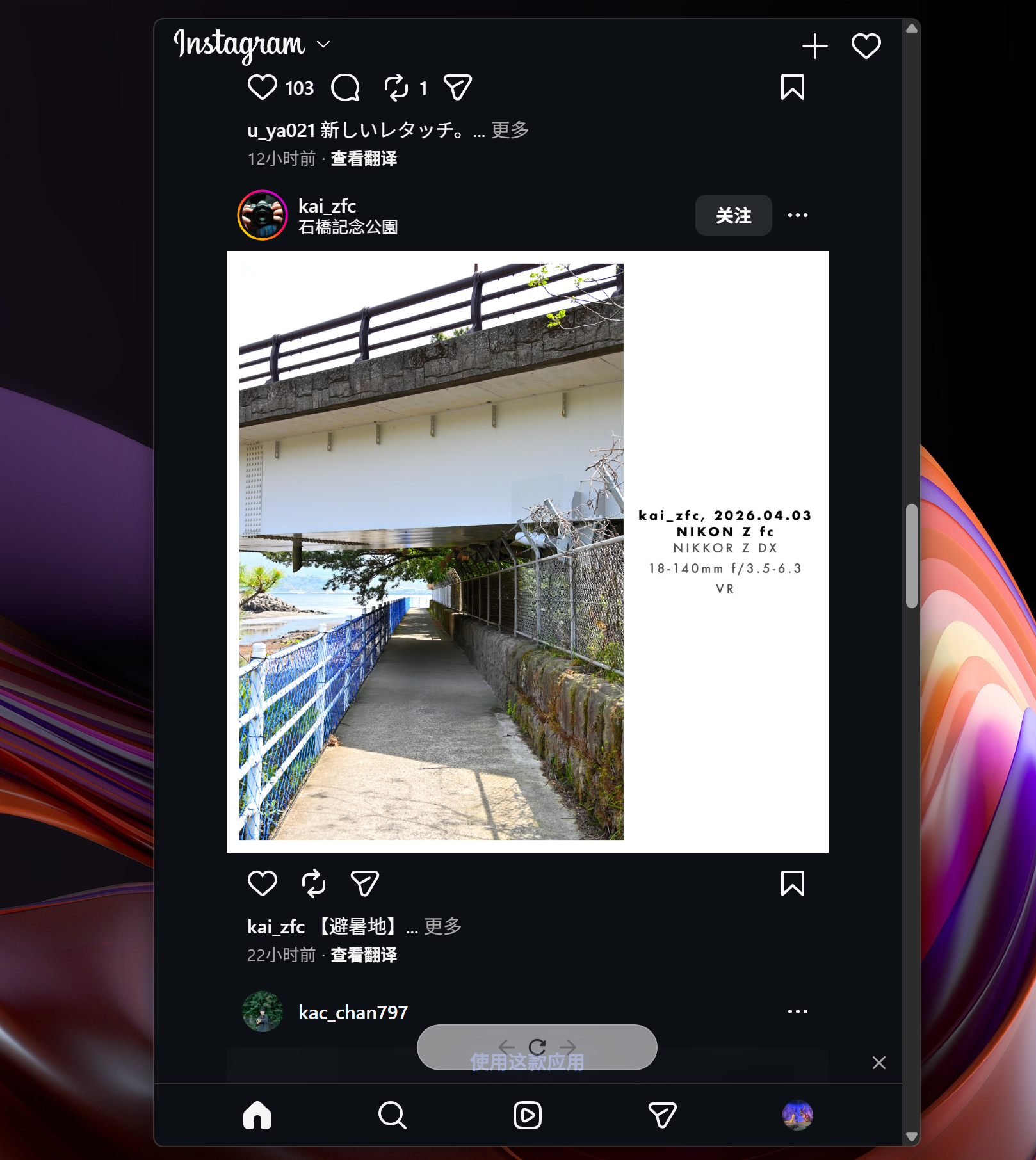
**Tips**: Use it with Query Hotkey to open frequently used websites with one shortcut, such as Ctrl+Shift+I to quickly check Instagram and hide it again
- [`Converter`] Add unit conversion support for length, weight, and temperature #4390
- [`File Search`] Add native indexed file search with database-backed scanning, wildcard search, incremental changefeed sync, startup restore, and cross-platform providers. Everything plugin has been moved to [here](https://github.com/qianlifeng/Wox.Plugin.Everything)
- [`Toolbar`] Add plugin toolbar messages
4 downloads
v2.0.2
Mar 23, 2026- Add
- [`Plugin`] Add action to open a plugin's settings directly from query results
- [`Clipboard`] Add action to open directory paths directly from clipboard results
- [`AI`] Add MiniMax provider support
- [`Privacy`] Add optional anonymous usage statistics with privacy controls
- [`Hotkey`] Add ignored application list for global hotkeys #4372
- [`Tray`] Add `Show Query Box` option for tray queries
- Improve
- [`App`] Improve app search metadata and indexing on macOS and Windows, including System32 apps, Windows `.url` shortcuts, and cleaner Windows icons #4291 #4367
- [`Plugin Setting`] Improve required-value validation in plugin tables and make AI model selection fall back to available provider configs #4365
- [`AI`] Improve provider setup with default host configs and clearer provider icons
- [`URL`] Improve URL results with dynamic website icons
- Improve restoring the previously active window when Wox hides, with better tray interaction and Quick Select behavior on Windows
- Improve locale detection when choosing the app language #4371
- Improve switching to existing windows by matching window titles more reliably
- Fix
- Fix
4 downloads